The WordPress vulnerability scanner that patches and re-checks for you
VettedWP checks every plugin, theme and core version on every site against known vulnerabilities, ranks them by how likely they are to be attacked, and patches them with a way back. Then it scans again, so "fixed" means re-checked.
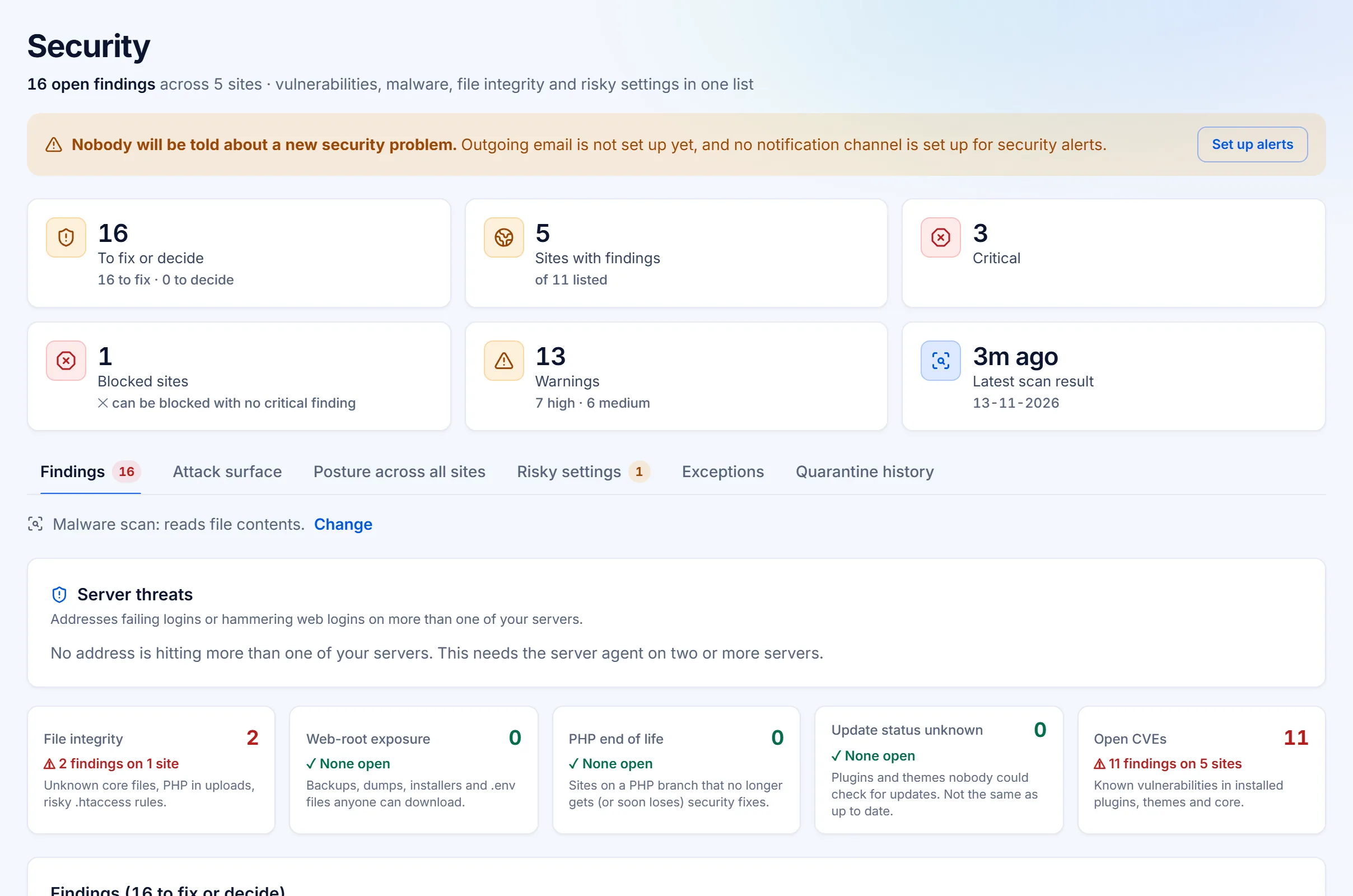
Not just "an update is available"
Most dashboards tell you a plugin is out of date. VettedWP tells you:
- Which CVE affects it, and what an attacker could do with it, in plain English where the advisory gives us the words.
- Whether it's being exploited right now, from CISA's KEV list.
- How likely an attack is in the next 30 days, from EPSS exploit forecasts.
- Whether a fix exists, which version has it, and whether you can patch in one click.
- What we couldn't check. If a premium plugin's version or update status can't be read, we say so instead of showing a green tick.
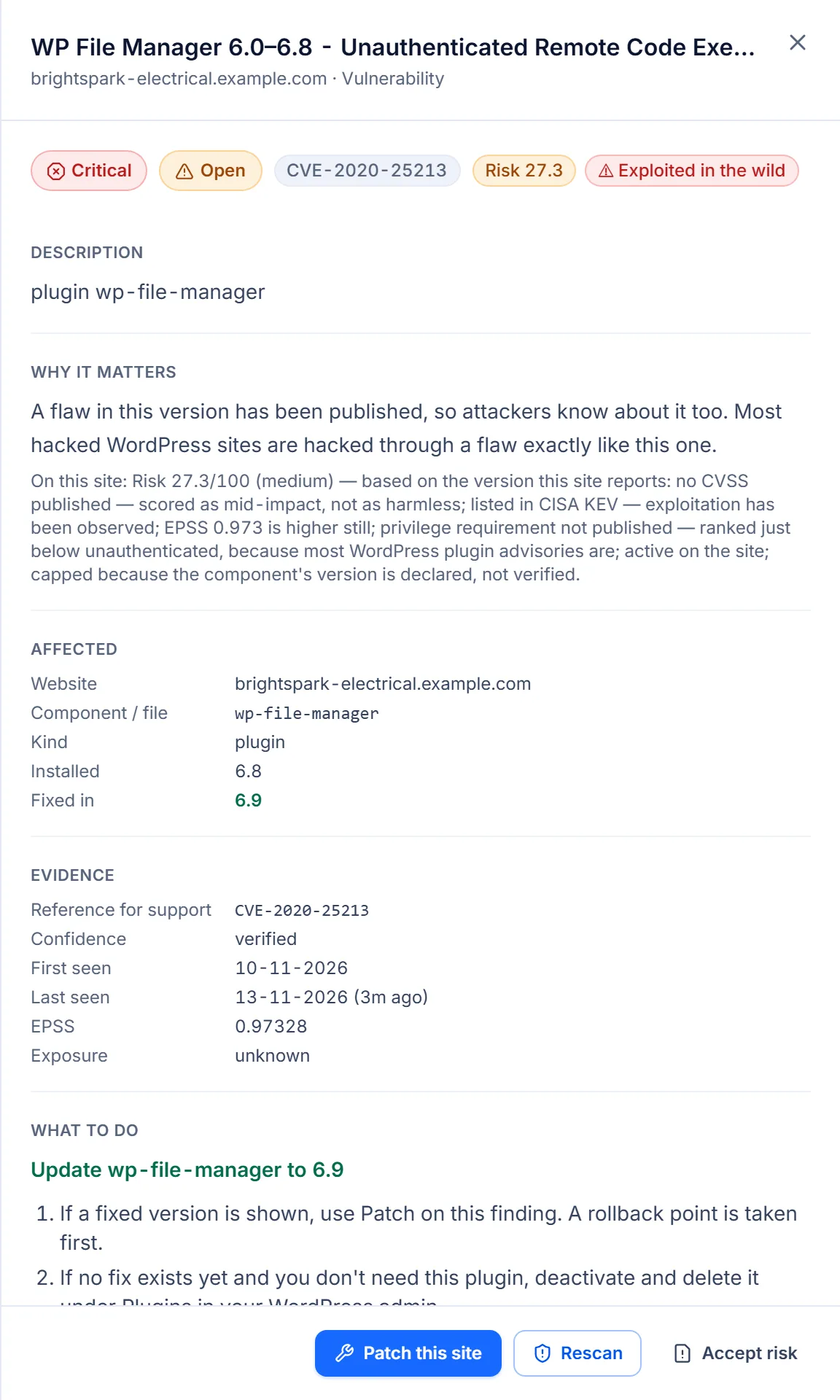
One list, ranked by real risk
Every finding gets a risk score from its severity, how likely it is to be exploited, how much access an attacker needs, and whether the plugin is even active on that site. The serious ones rise to the top across every client. A site with an actively exploited (CISA KEV) vulnerability in an active plugin gets a Blocked verdict, so nobody mistakes it for safe.
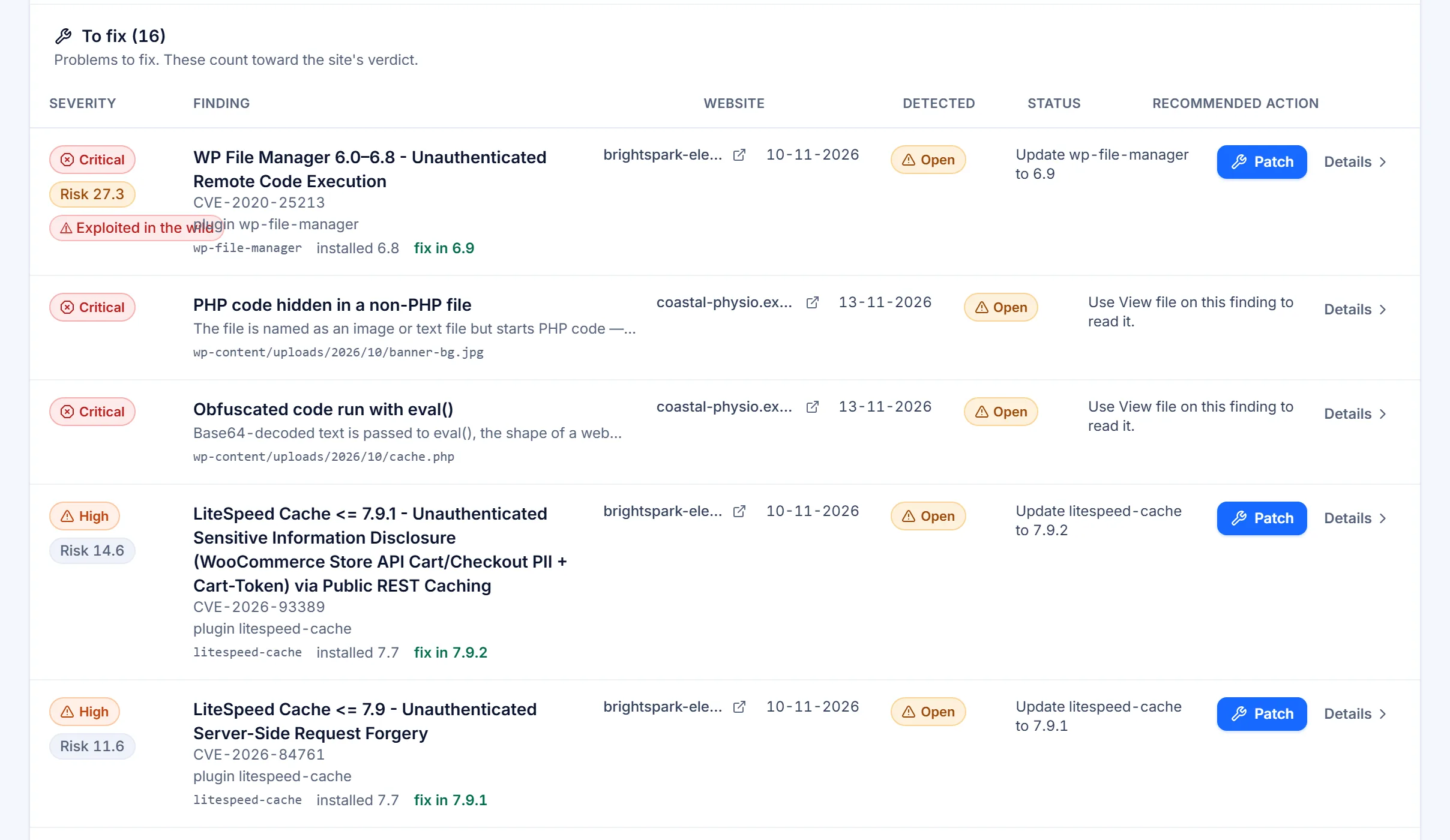
Deeper than a version check
| Check | What it finds |
|---|---|
| CVE matching | Known vulnerabilities in installed plugins, themes and core, enriched with NVD, CISA KEV and EPSS |
| Malware and file integrity | Core files that don't match the official release, PHP files in uploads, injected content in the database, and known malware patterns in files where that scan is switched on |
| Active scan | How the live site responds to common probes, tested from outside, only on sites you approve |
| Pen test | Probes you start, with typed consent: reflected XSS, SQL error disclosure, open redirects, path traversal, broken access control and REST routes that accept writes without sign-in. Each result explained, with a fix suggested |
| Attack surface | Exposed backups, .env and debug files, directory listings, install scripts and database admin tools left reachable |
| Code analysis | Security flaws in custom and premium plugin code, read over the signed channel and never stored (where switched on) |
| Risky settings | User enumeration, XML-RPC, file editing in admin, admins without two-factor, too many admins, out-of-date PHP |
| Cloudflare | One-click protection rules for sites behind Cloudflare, with a preview of what's already in place |
The pen test is an automated set of probes, not a manual penetration test. When it finds nothing, it says "none of these probes matched", never "no vulnerabilities".
Patch, then prove it
Rollback point first
Every patch takes a restore point before anything changes.
Staged rollout
One site, then a wave, then the rest. Rollouts stop if health drops.
Re-scan
After a patch we apply, we scan again and record whether the vulnerability is gone.
Evidence kept
Each fix is recorded with the site's signed reply, and where possible the files on disk matched to the official release, ready for your client report.
If the worst happens
If a site looks compromised, "I think this site was hacked" opens a guided recovery, one step at a time. Suspicious files can be quarantined, and any quarantine can be undone.
Keep the evidence
Take a backup now, before anything changes.
Run every scan
Malware, file integrity, code secrets and security settings, together.
Remove what was found
Quarantine suspicious files: they move out, they are not deleted, and it can be undone.
Close the doors, change the keys
Remove the way in, then change passwords and keys.
Check again
Scan again before you call it done.
Built so your management tool can't become the weak spot
A tool that manages your sites can reach every one of them, which makes it a target. Our plugin holds only a public key, so there's no shared secret on any site to steal. Every request and reply is signed and can't be replayed.
Related features
Malware scanning and recovery
Files and database checked for known malware indicators, with a guided recovery and quarantine you can undo.
Two-factor and login protection
Failed sign-ins counted on every site; switch on a lockout and two-factor for administrators, each with a way back.
Team and per-site access
Invite your team as owners, publishers or viewers, and choose which sites each person can reach.
Is this the same as Wordfence or Patchstack?
Those protect one site from inside it. VettedWP watches every site you manage from one place, patches across all your sites and reports it. Many agencies use both.
How often do you scan?
By default: the WordPress advisory feed is pulled every hour, CISA's Known Exploited list is watched every 15 minutes, and NVD and EPSS are reconciled nightly. Each site's installed versions are matched against them nightly, and again straight after any patch we apply. When a plugin is installed or updated, the site tells us and its inventory refreshes. File integrity runs nightly, outside-in exposure checks daily, security settings and malware checks weekly, and active scans weekly on the sites you have approved.
Do you scan premium plugins?
Yes, where the version can be read. If it can't, the finding says so instead of showing a clean result. Code analysis, where it is switched on, can also review premium and custom code.
Will scanning slow the site down?
Version and file checks run through the plugin in the background. Active scans run only on sites you have approved, at one request a second. Pen tests run only when you start them.
Try it on your own sites
See every known vulnerability on your sites.
Start free trialCheck one site free
14 days of every Business feature on up to 5 sites. Cancel before it ends and you pay nothing.