Bring all your sites across
Importing is a read. We list your sites, you install the plugin, and nothing about your hosting or your existing tooling has to change on day one.
Three steps
List your sites
Paste an xCloud or MainWP API token and we list your sites. From ManageWP, WP Umbrella or anywhere else, upload a CSV. The token is used once and never stored.
Install the plugin
A branded plugin with your platform's public key baked in. Install it and paste the pairing code, or let the bulk installer do it over a WordPress application password.
Watch it land
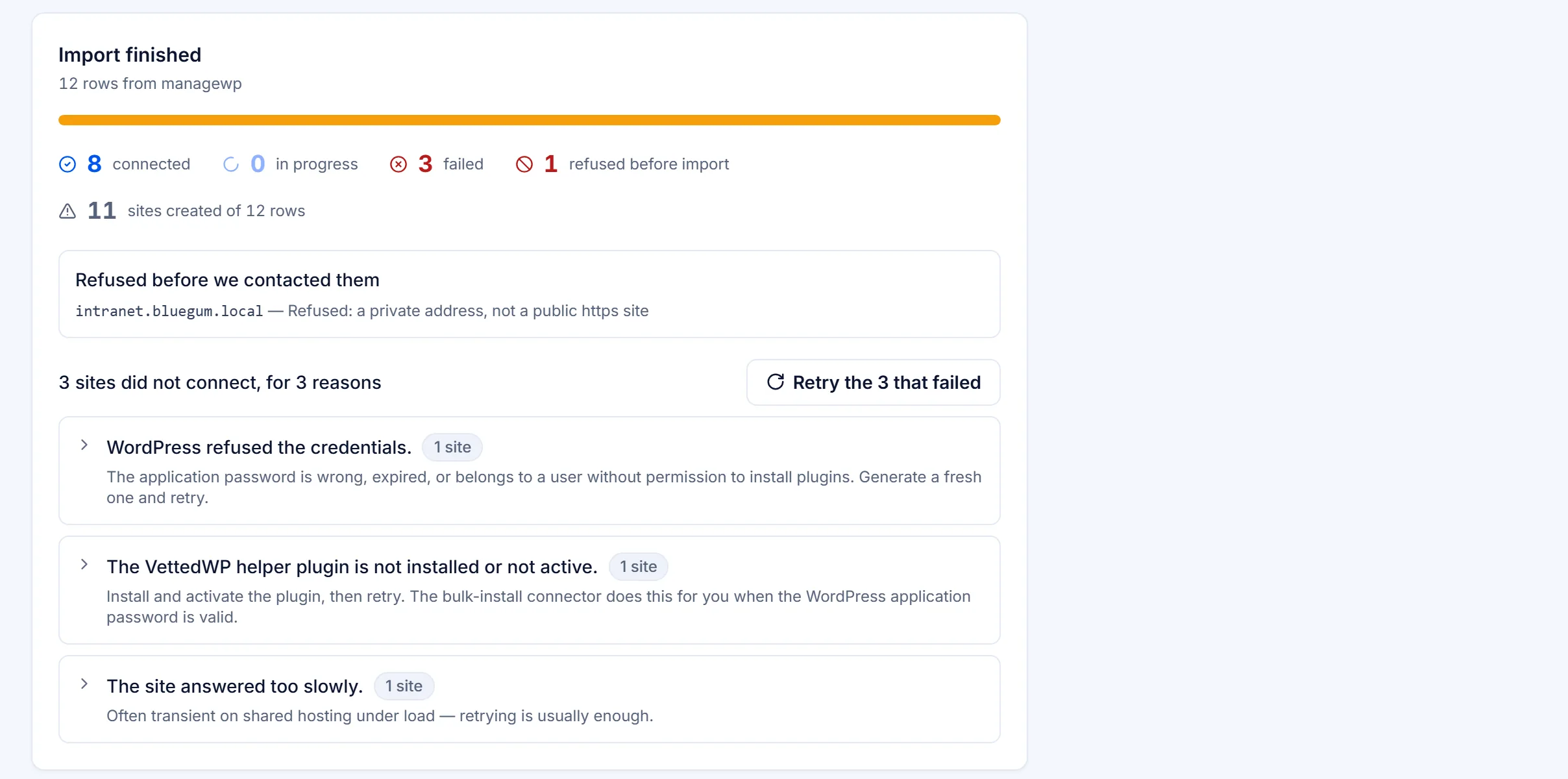
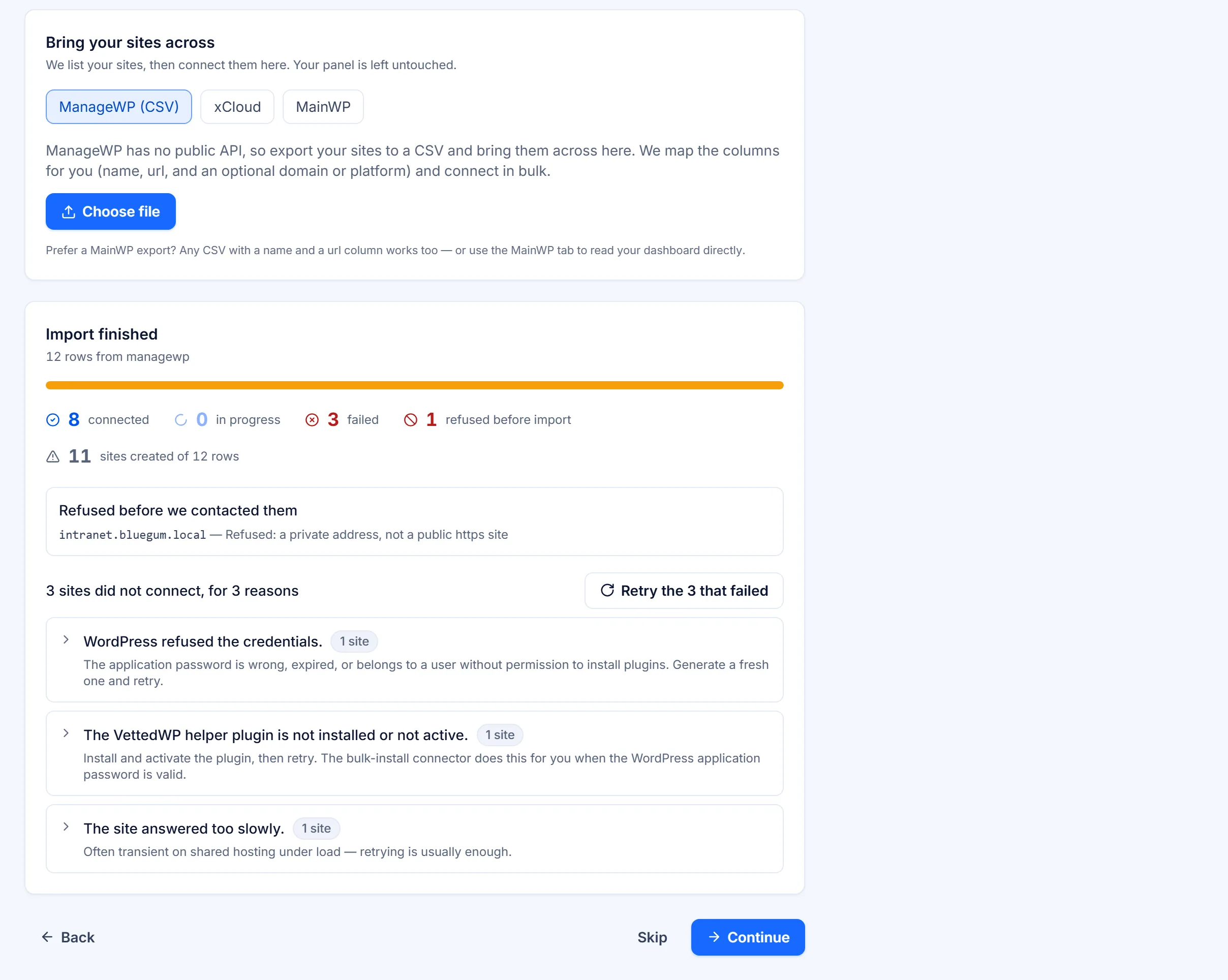
One progress view for the whole import: what connected, what did not, grouped by reason, with a button that retries only the failures.
When some of them fail
Every failure listed, never a silent zero
With hundreds of sites, some will fail: a site behind a firewall, an expired application password, a staging host we cannot reach. You get a count that reconciles (handed, imported, refused) and every failure grouped by cause with what to do about it.
Running both tools side by side for a month is a perfectly reasonable plan, and nothing about VettedWP prevents it.
What does the import bring across?
Your site list: a name and a URL for each site. From MainWP or xCloud with an API key, from ManageWP, WP Umbrella or anywhere else with a CSV. Backup history, notes and past reports stay in the old tool.
Is my API key stored?
No. The token is used once to list your sites and is never stored.
Do I need my clients' WordPress admin passwords?
No. Each site runs our plugin, which holds only our public key, and the channel uses signatures, not passwords. No WordPress admin password is ever stored.
Can I run both tools side by side?
Yes. Running both for a month while you compare is a reasonable plan, and nothing in VettedWP prevents it.
Try it on your own sites
Start with one site if you like.
14 days of every Business feature on up to 5 sites. Cancel before it ends and you pay nothing.